HOW DO I CHROMECAST FROM THE IOS APP?
Follow the instructions below to cast to your tv from your iOS device.
- Open the iOS app on your iPhone or iPad. Your videos will load.
- When you start playing a video, tap the Cast icon that appears in the lower right side of the video player controls
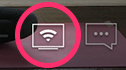
- Choose the Chromecast device you wish to connect to from the options that appear

- Once connected, your device screen will notify you that the video is now playing on your primary cast screen.
- You can now browse through other products and videos. The video you are currently casting will appear at the bottom of your app so you can access controls.
- To disconnect from your Chromecast, tap the Cast button again and choose This Device instead of the Chromecast.